

This is the exact research-backed recipe: data sources + equations + algorithms for a 24/7 “Earth from the Moon” simulated (or camera-pointing) live stream.
1) The authoritative building blocks (NASA/JPL + IERS)
A) Solar system positions (Earth–Moon geometry)
Use NAIF SPICE with JPL planetary ephemerides such as DE440/DE441 (high-accuracy Earth/Moon trajectories). (naif.jpl.nasa.gov)
B) Moon orientation (libration / body-fixed frames)
Use the high-accuracy lunar binary PCK derived from DE440 (e.g., moon_pa_de440_200625.bpc) plus the matching lunar frame kernel (moon_de440_220930.tf or similar). (naif.jpl.nasa.gov)
C) Earth orientation (UT1-UTC, polar motion, nutation offsets)
For highest fidelity, incorporate IERS Earth Orientation Parameters (EOP) (Bulletin A / EOP products) so Earth-fixed ↔ inertial transforms are correct at the arcsecond/sub-arcsecond level. (maia.usno.navy.mil)
D) Light-time + aberration (what the camera “sees”)
SPICE can compute apparent direction using one-way light time and stellar aberration corrections (important if you want “what it looks like now”). (naif.jpl.nasa.gov)
2) What “24/7 Earth view” requires (physics reality check)
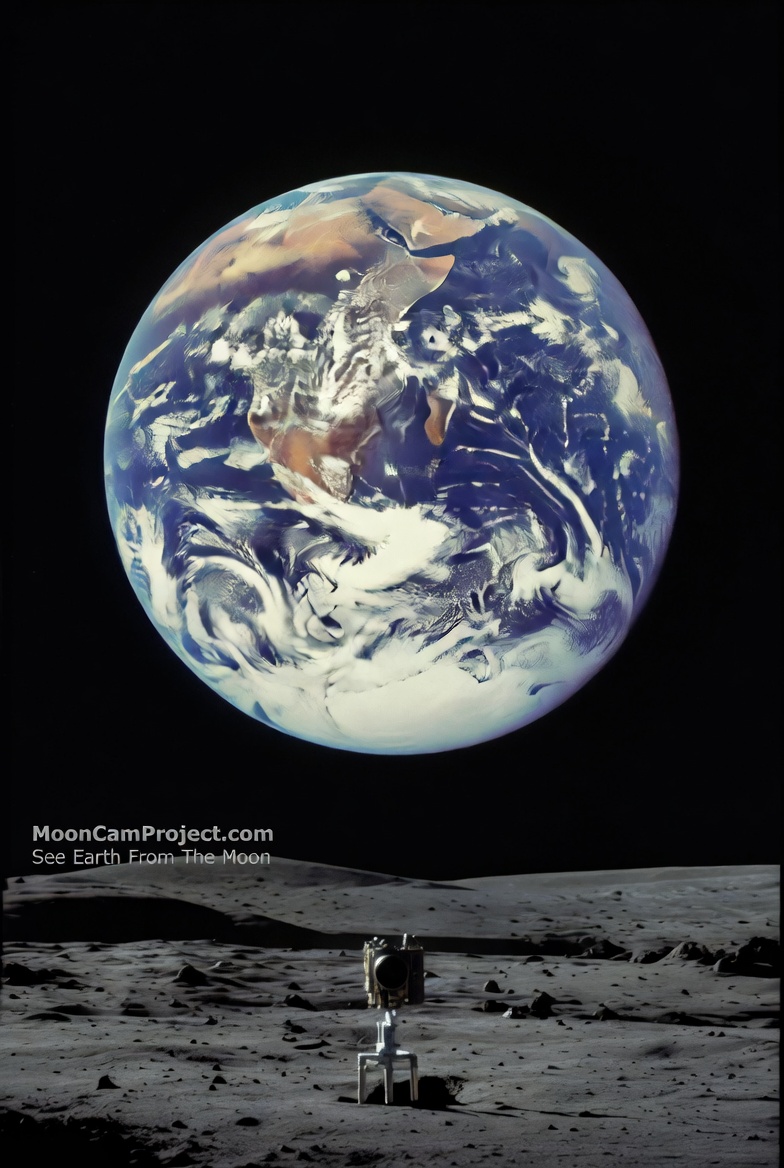
The Moon is tidally locked: the near side faces Earth, so Earth stays in the lunar sky (with “wobble” from libration). (NASA Science)
For a surface camera: Earth must be above the local horizon at your chosen lunar latitude/longitude. Near-side locations generally satisfy this; very near the limb you can lose Earth below the horizon part-time due to libration + terrain.
3) The exact math/logic you need
A) Distance (Earth–Moon range)
In SPICE, range is just the norm of the position vector:
[
r(t)=|\mathbf{r}{E}(t)-\mathbf{r}{M}(t)|
]
(You don’t “approximate” this if you’re using DE440/DE441—SPICE gives it.)
B) Direction from a Moon surface site to Earth
Define:
Lunar surface station in Moon body-fixed frame: ( \mathbf{r}_{site}^{MOON} )
Earth position in Moon body-fixed frame: ( \mathbf{r}_{E}^{MOON}(t) )
Then:
[
\mathbf{v}(t)=\mathbf{r}{E}^{MOON}(t)-\mathbf{r}{site}^{MOON}
]
Unit line-of-sight:
[
\hat{\mathbf{v}}(t)=\frac{\mathbf{v}(t)}{|\mathbf{v}(t)|}
]
C) Is Earth above the horizon? (visibility test)
Let the local “up” vector be:
[
\hat{\mathbf{u}}=\frac{\mathbf{r}{site}^{MOON}}{|\mathbf{r}{site}^{MOON}|}
]
Elevation angle:
[
\text{elev}(t)=\arcsin\big(\hat{\mathbf{v}}(t)\cdot \hat{\mathbf{u}}\big)
]
Earth visible if:
[
\text{elev}(t) > 0 \quad (\text{or } > \text{mask angle for terrain/safety margin})
]
D) Camera pointing (azimuth/elevation)
Create a local topocentric frame (East-North-Up). In SPICE you typically use station frames or compute ENU basis; then project (\hat{\mathbf{v}}) into that basis to get azimuth/elevation. (This is standard “topocentric pointing”.)
E) Earth angular size (for rendering)
[
\theta(t)=2\arctan\left(\frac{R_E}{r(t)}\right)
]
This drives how large Earth appears in pixels.
4) The algorithm for a 24/7 “Earth from the Moon” livestream simulation
Step 0 — Inputs you must define
Lunar site: latitude, longitude, altitude
Time standard: UTC timestamps
Render cadence: e.g., 1 frame/sec or 30 fps
Desired accuracy: geometric vs apparent
Step 1 — Load kernels (SPICE “furnish”)
Load:
Leap seconds (LSK)
Planetary ephemeris (SPK: DE440/DE441)
Moon orientation (binary PCK)
Moon frames (FK)
Earth orientation (if using high-accuracy Earth frames)
NAIF tutorial docs explain the “special PCK/FK” approach for Earth/Moon. (naif.jpl.nasa.gov)
Step 2 — Convert UTC → ET (ephemeris time)
SPICE uses ET internally (TDB-like). Your timestamps convert via the loaded LSK.
Step 3 — Get Earth state relative to Moon site
Use SPICE to compute the Earth position relative to your station frame:
Use apparent corrections (“LT+S”) if you want what’s seen with light-time & aberration. (naif.jpl.nasa.gov)
Step 4 — Check visibility
Compute elevation; if below horizon, either:
cut to “Earthset” slate, or
switch to an orbital relay camera viewpoint (if your story allows).
Step 5 — Render physically-plausible Earth
To be “accuracy-grade,” drive visuals with:
Earth rotation angle (texture rotation)
Sun direction for Earth phase/terminator
Optional: cloud layer (procedural or data-driven)
If you want NASA-grade visuals, NASA’s SVS is the gold standard for data-backed visualizations (inspiration + datasets). (NASA Scientific Visualization Studio)
Step 6 — Encode and stream
FFmpeg to HLS/DASH (web player). Latency depends on segment size.
5) Two implementation paths (pick based on your goal)
Path A — “Accuracy-grade simulation” (web livestream)
SPICE computes geometry + pointing
Your renderer generates frames
Stream via HLS
Best for MoonCamProject’s public demo.
Path B — “Real camera on the Moon” pointing solution (future hardware)
Same math, but instead of rendering:
compute az/el commands
drive gimbal motors
stabilize with star tracker + IMU
This is where “100%” becomes impossible without feedback control—so you close the loop using sensors.
6) 5th-grader vs adult explanation (publishable)
5th grader:
Earth is about 384,400 km away on average, and the Moon keeps the same face toward Earth. So if you put a camera on the side that faces Earth, Earth stays in the sky most of the time. We use space-math (from NASA tools) to tell the camera exactly where to point every moment.
Adult:
Use NAIF SPICE with DE440/DE441 for ephemerides plus high-accuracy lunar PCK/FK for body-fixed orientation and libration; apply EOP (IERS) when transforming Earth-fixed frames; compute topocentric line-of-sight from a lunar surface station frame, optionally with light-time and stellar aberration for apparent direction; then render Earth size/phase from range and Sun geometry.
7) What I need from you to “lock” the final spec
Reply with just these two items and I’ll output the finalized kernel list + exact station spec + a clean “MoonCamProject Technical Page” write-up:
Your intended lunar site (pick one):
“Near-side equator”
“Near-side south-pole region”
“Specific crater/coordinates”
Do you want the stream to be:
Geometric real-time (no light-time)
Apparent (includes light-time + aberration)
If you don’t care, I’ll default to Apparent because it matches “what you’d see” best.

Lunar Camera Mission
Join us in uncovering the truth through our 24/7 livestream from the Moon's surface.
Transparent Funding Initiative
Support our mission funded by real people, ensuring no lies in lunar exploration and footage.


Real-time Livestream
Experience captivating HD footage of the Moon, Earthrise, and potential Apollo landing sites live.
Be part of history as we send a rover to reveal the Moon's mysteries without cover-ups.
Join the Movement


Lunar Livestream
Experience the moon and planet earth like never before—join our mission today!


This mission is groundbreaking! Excited to see the truth about the moon unfold live.
Alex R.


★★★★★